GeoMeter
Measure your land
with your phone
Tap the corners of a field on the satellite map or walk around it with GPS. GeoMeter shows the area in hectares, acres, m² and your local units right away, with every side measured.
- Free, no ads
- No sign-up needed
- 8 languages
- Local land units
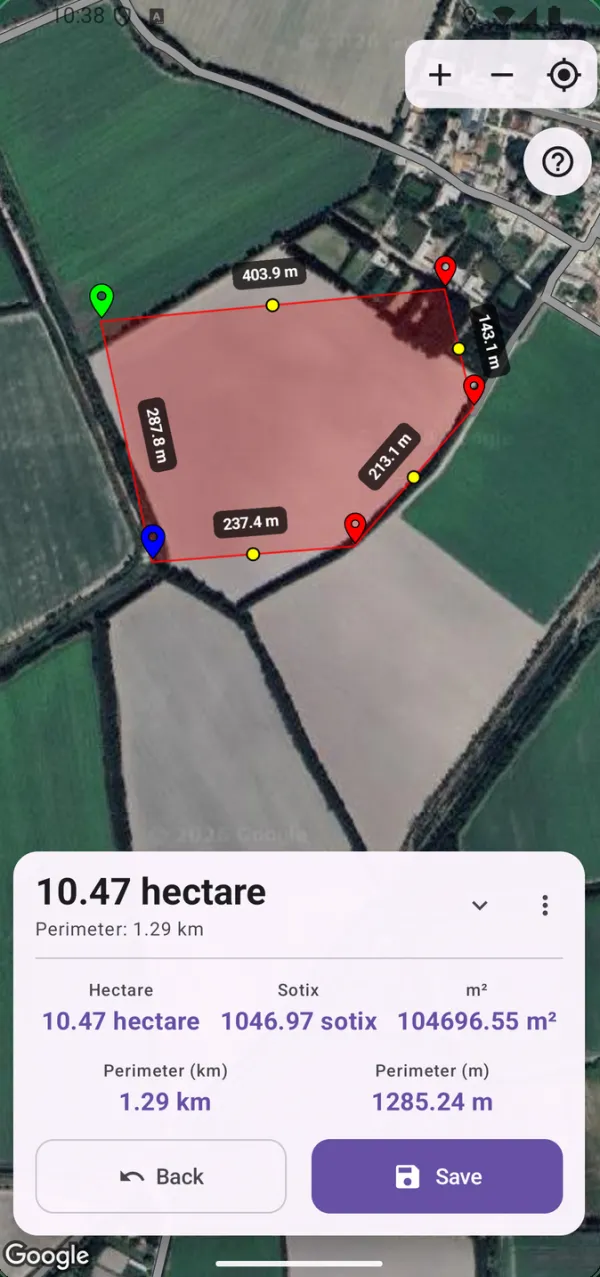
Everything you need to measure a plot
Built for farmers, buyers and sellers of land, builders and anyone who needs a quick, clear answer.
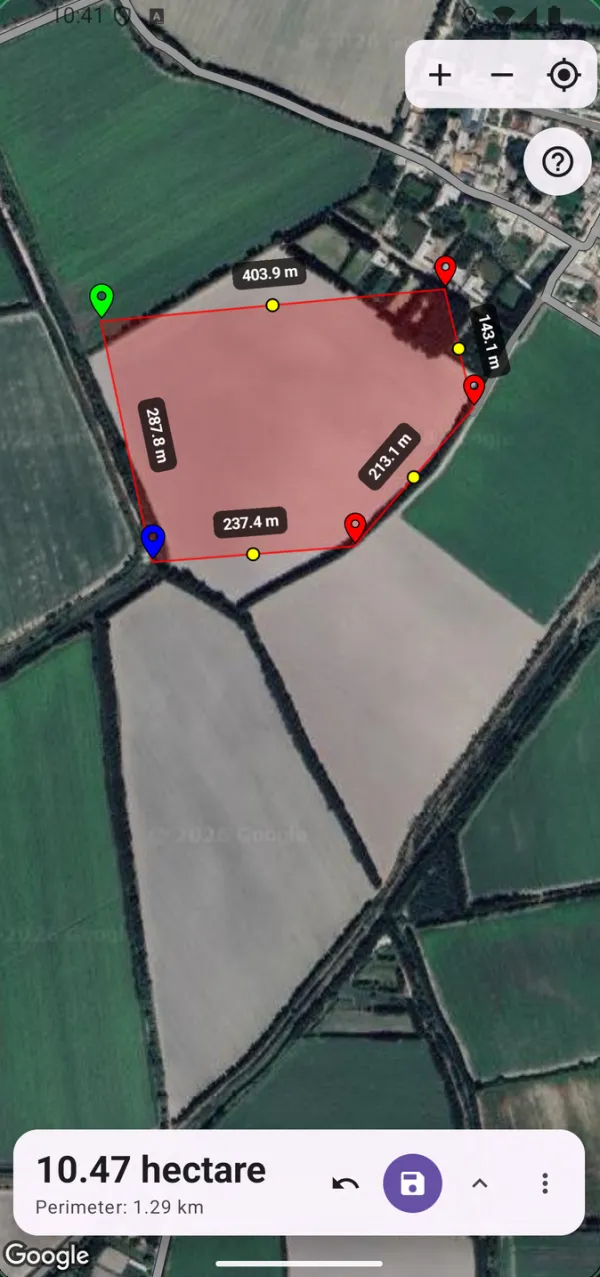
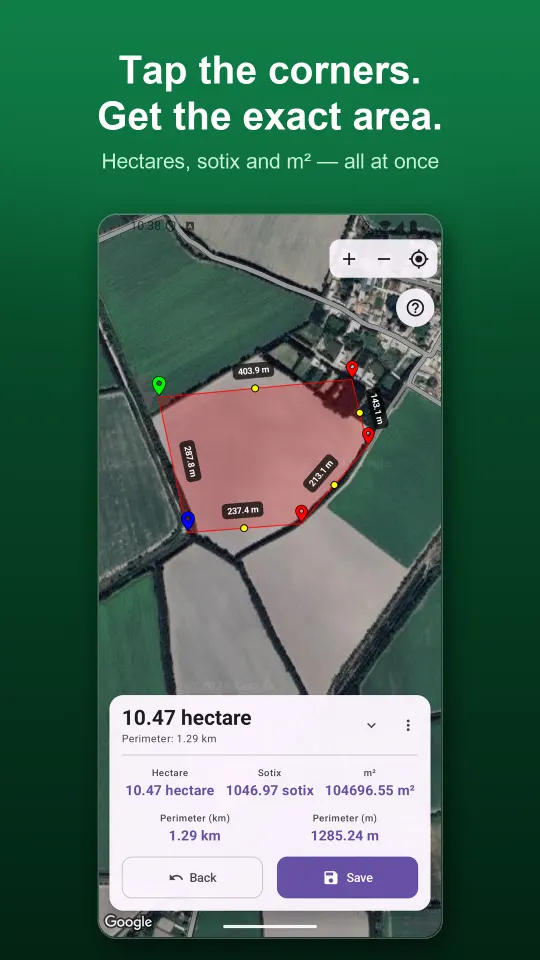
Tap the corners — the area is ready
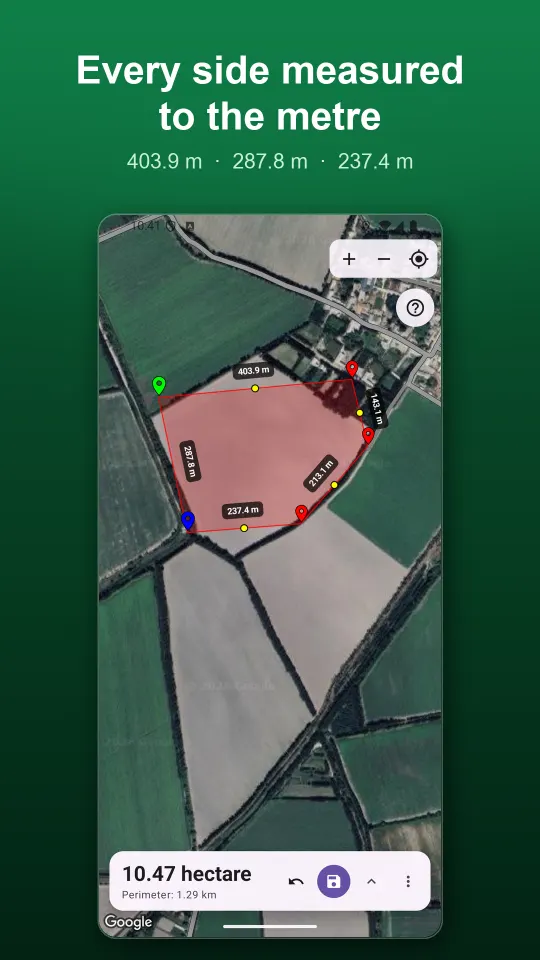
Place points on the satellite map and GeoMeter calculates the area and perimeter as you go. Every side shows its length right on the map.
- Area in hectares, acres, m² and local units at the same time
- Length of each side, in metres
- Move or undo a point at any time
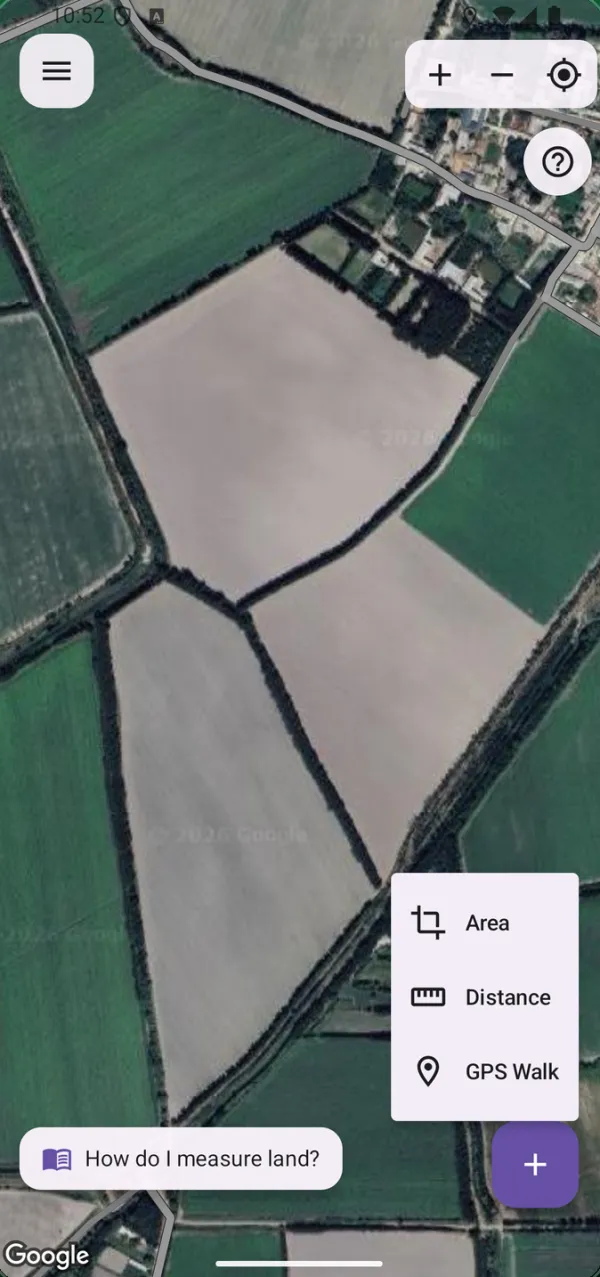
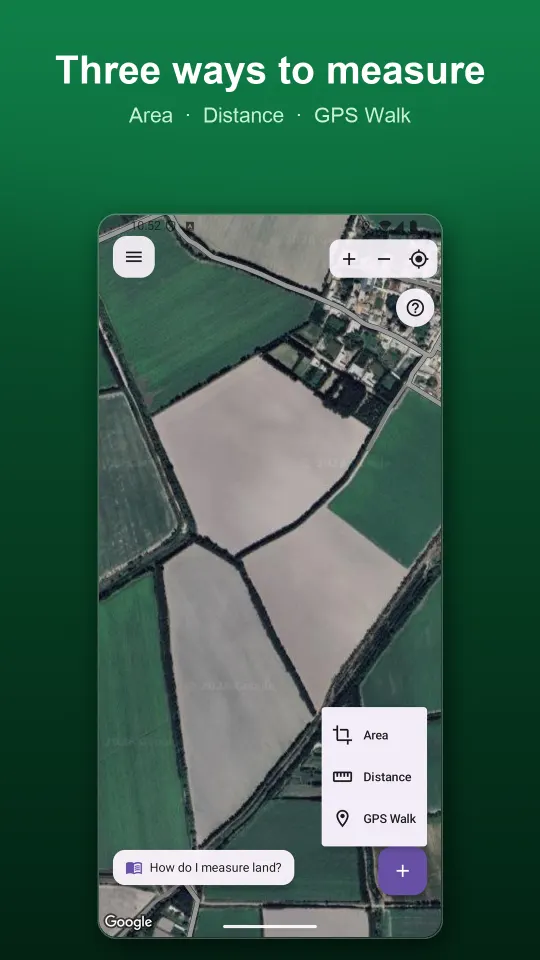
Three ways to measure
Choose the mode that fits the job: mark a plot on the map, measure a line, or walk the boundary and let GPS draw it for you.
- Area — for fields, gardens and building plots
- Distance — for roads, ditches and fences
- GPS Walk — records your path, even with the screen off
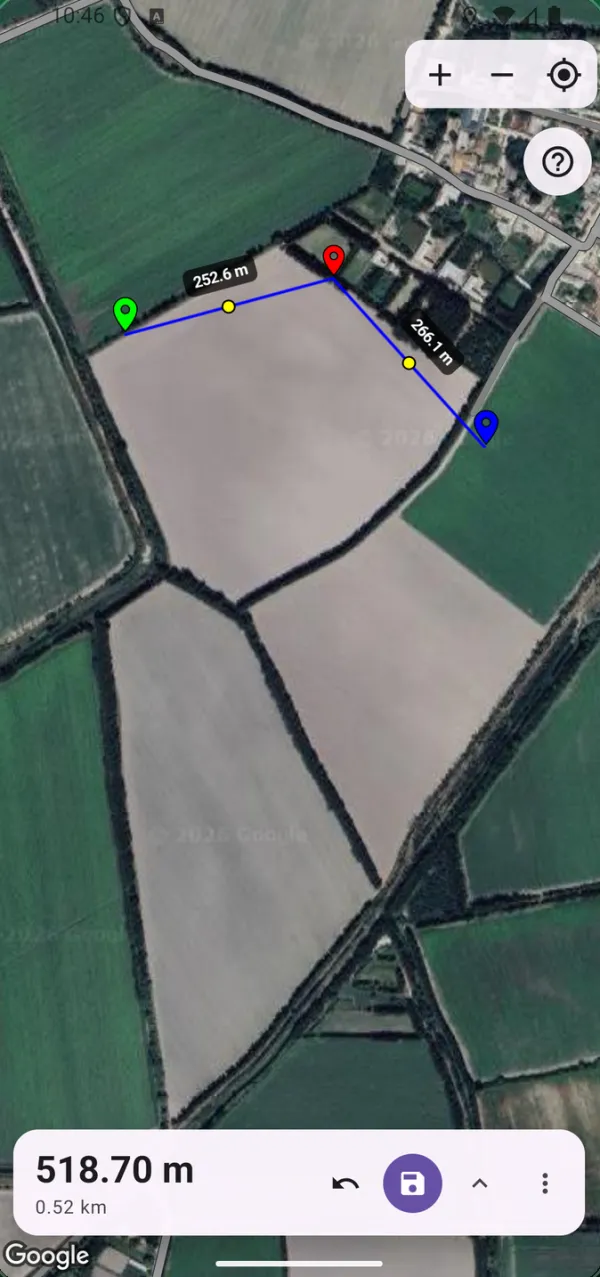
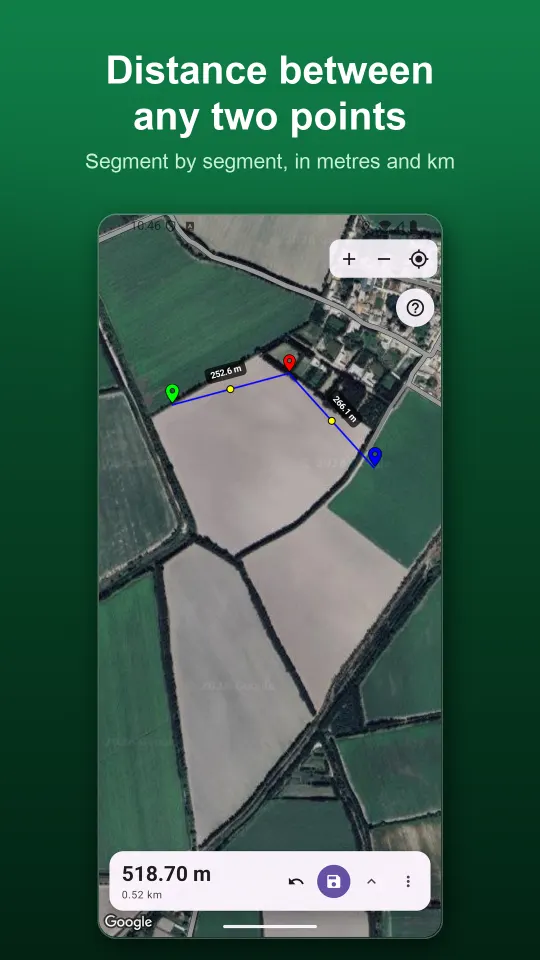
Distance between any points
Measure a road, a canal or a fence line point by point. GeoMeter adds up each segment and shows the total in metres and kilometres.
- Segment by segment
- Total in m and km
- Works for straight and winding lines
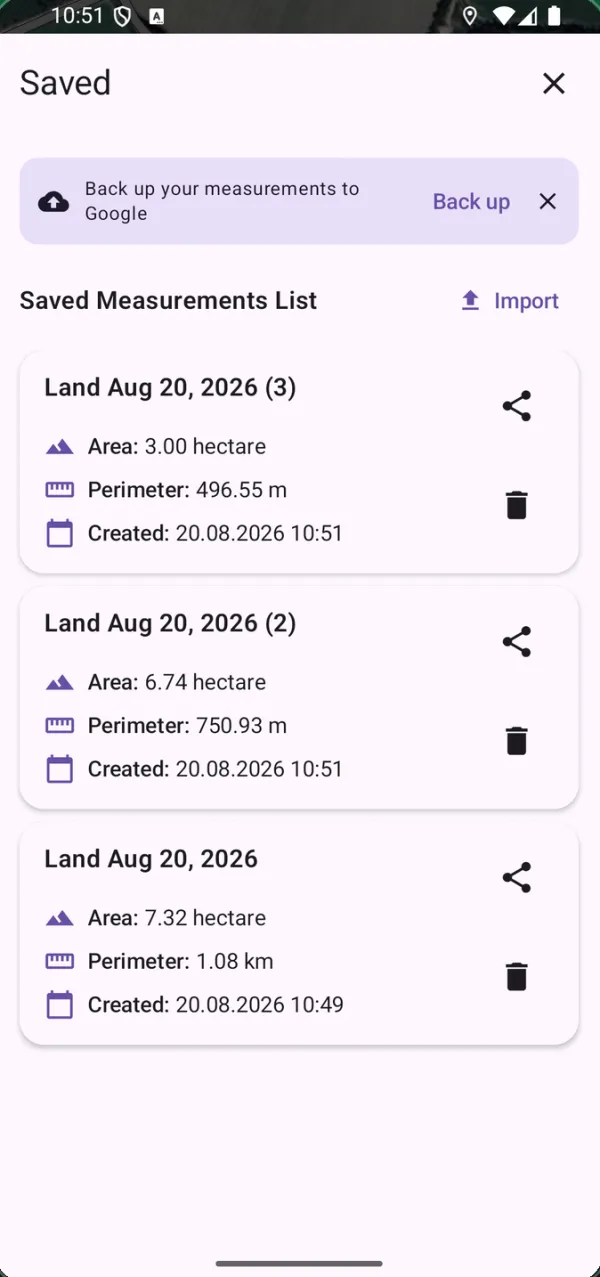
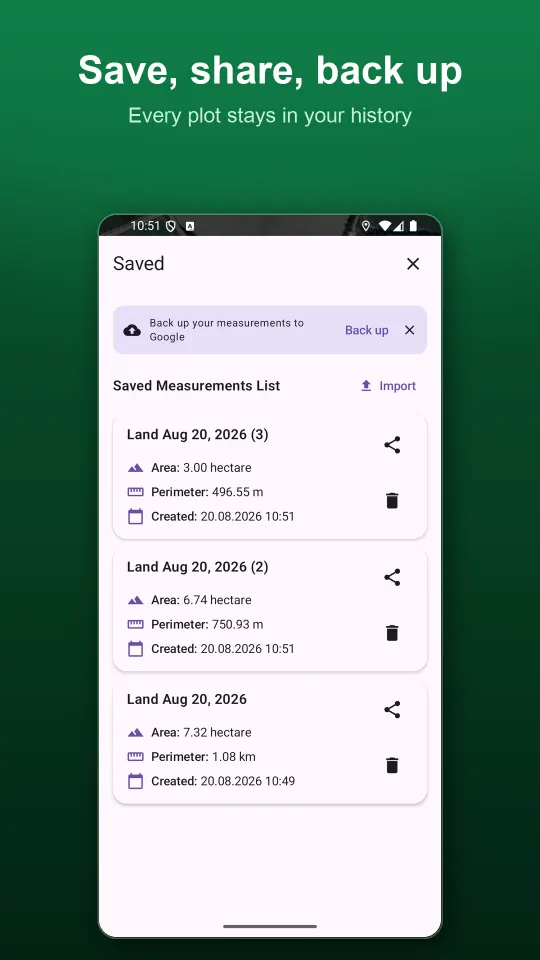
Save, share and back up
Give a measurement a name and it stays in your history. Send it as a PDF report or as a KML or GeoJSON file for Google Earth and GIS apps.
- PDF, KML and GeoJSON export
- Import .kml and .geojson files
- Sign in with Google to restore on a new phone
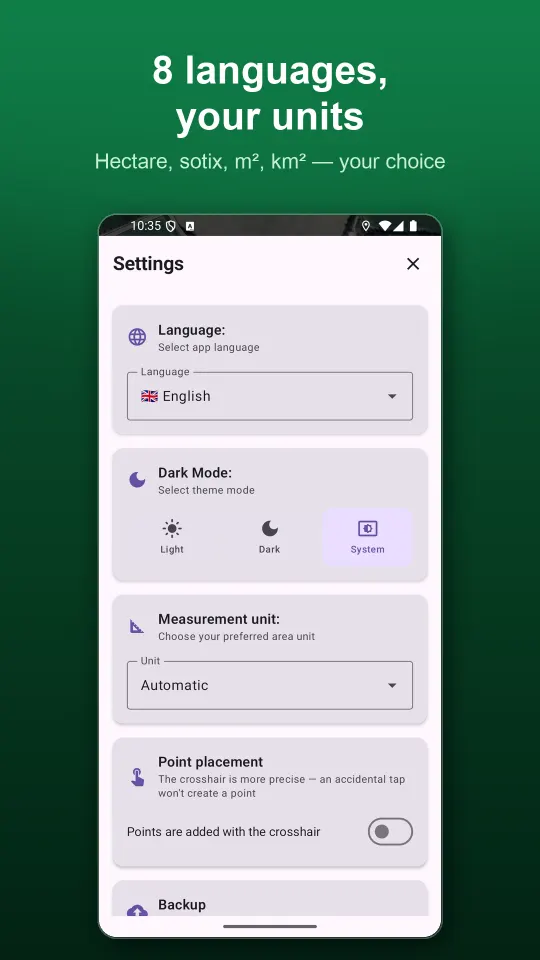
Results in the units you use
Pick a unit in Settings or leave it on Automatic. Besides hectares and acres, GeoMeter knows the land units used across Central and South Asia and the Middle East.
General
- m²
- Hectare
- Acre
- km²
Central Asia
- Sotix
Pakistan
- Kanal + marla (Punjab)
- Kanal + marla (Lahore, DHA)
- Marla (Punjab)
- Marla (Lahore, DHA)
India
- Bigha (Uttar Pradesh)
- Bigha (Bihar)
- Bigha (Rajasthan, pucca)
- Bigha (Gujarat)
- Bigha (West Bengal, Assam)
- Guntha
- Cent
Afghanistan, Iran, Turkey, Arab countries
- Jerib (Afghanistan)
- Jerib (Iran)
- Dönüm
- Feddan
Area is also shown in hectares, sotix and m² for every measurement, so you can compare at a glance.
Small details that help
GeoMeter stays simple, but it has what you need in the field.
Satellite map
Clear Google satellite imagery, so you can see field borders, roads and canals.
Precise point placement
Use the crosshair to place points exactly where you want, without an accidental tap.
Built-in guide
A short step-by-step guide inside the app explains every mode and button.
Support chat
Ask a question right in the app and get an answer from the developer.
Dark mode
Light, dark or system theme — easy on the eyes at any time of day.
8 languages
English, Uzbek, Russian, Turkish, Hindi, Arabic, Persian and Urdu.
See GeoMeter in action
Measure a plot in three steps
Most people get their first result in about a minute.
Choose a mode
Area, Distance or GPS Walk — pick it from the + button on the map.
Mark the boundary
Tap the corners on the satellite map, or walk around the plot with GPS on.
Save and share
Name the measurement, then send it as PDF, KML or GeoJSON whenever you need.
Your measurements stay yours
You can use GeoMeter without signing up. Measurements are saved on your phone and backed up to our cloud under an anonymous ID so they are not lost. Sign in with Google to restore them on another phone. Location is used only while you measure. Privacy policy
- No sign-up needed
- No ads
- Never sold
- Delete your data any time
Frequently asked questions
Is GeoMeter free?
Yes. All features are free and the app has no ads.
Does it work without internet?
No. The satellite map is loaded over the internet, so you need a mobile data or Wi-Fi connection to measure. Saved measurements stay on your phone.
How accurate is the measurement?
When you place points on the map, accuracy depends on how carefully you mark the corners on the satellite image. In GPS Walk mode it depends on your phone's GPS and a clear view of the sky. For the best result, walk slowly and keep the phone in the open.
Which units are supported?
Square metres, hectares, acres and km², plus local units: sotix, kanal and marla, several regional bighas, guntha, cent, jerib, dönüm and feddan. Automatic mode picks a suitable unit for you.
Can I open a measurement on a computer?
Yes. Export it as KML to open in Google Earth, or as GeoJSON for GIS software. A PDF report with the map and figures is also available.
Do I need to create an account?
No. Signing in with Google is only needed if you want to restore your measurements on another phone.
How do I delete my data?
Measurements on your phone are deleted when you delete them in the app or uninstall it. To delete your backup, account or support chat, follow the steps on the Delete account page.